 Ελληνικά
  English
 AzuraCast: Live broadcasting with BUTT or Mixxx
19410 viewsIn AzuraCast, live broadcasts are done with Streamer/DJ accounts. You create them inside AzuraCast. The switch from AutoDJ to the DJ and back is seamless for your listeners.
You log in to AzuraCast with Login to Panel on the service page (see AzuraCast: First steps).
Before you start
- Enable Streamers must be on in your station's settings (Edit Profile). If it isn't on, open a support ticket.
- Create an account for each DJ on the Streamers/DJ Accounts page.
The connection details
All the details for your broadcasting software (Server, Port, Mount Name) are on AzuraCast's Streamers/DJ Accounts page. Use them exactly as shown.
BUTT
BUTT is free, for Windows, Mac and Linux. It broadcasts with Icecast or Shoutcast.
With Icecast (recommended)
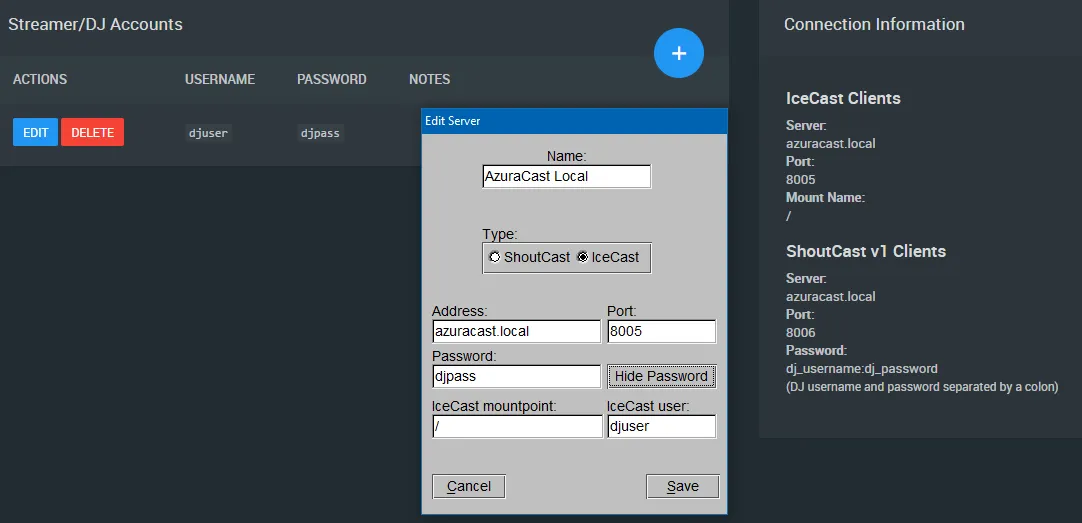
- In BUTT's server settings (Settings → Server Settings), add a new server with Type = Icecast.
- In Address enter the Server value from AzuraCast, and in Port the Port value.
- In Icecast mountpoint enter the Mount Name value (usually
/). - In Icecast user and Password enter the DJ's username and password.
With Shoutcast
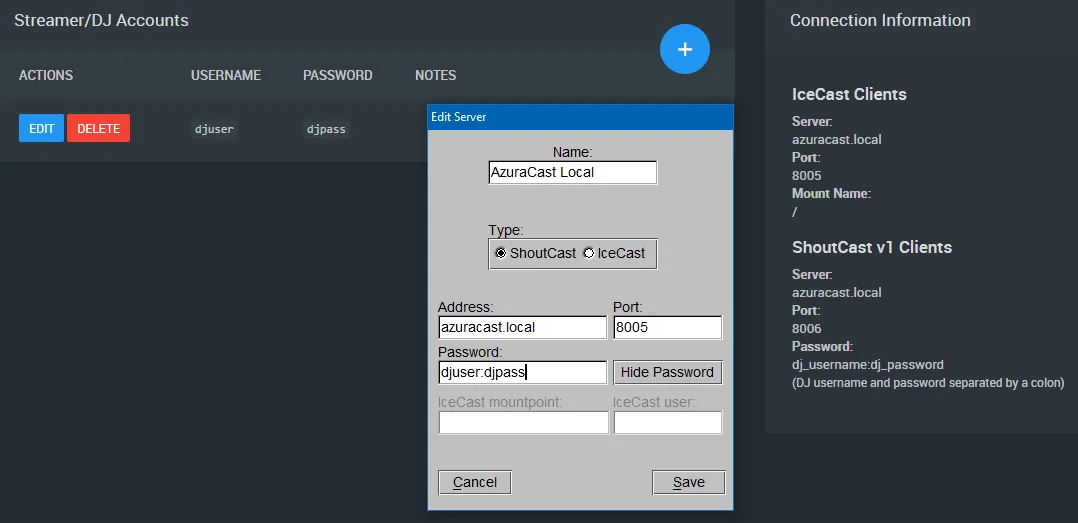
- BUTT automatically adds 1 to the port in Shoutcast mode. So enter the port shown in the IceCast Clients section.
- Shoutcast v1 has no username field. In the password, enter the DJ's
username:password, joined with a colon.
Mixxx
Mixxx is free DJ software that also broadcasts live.
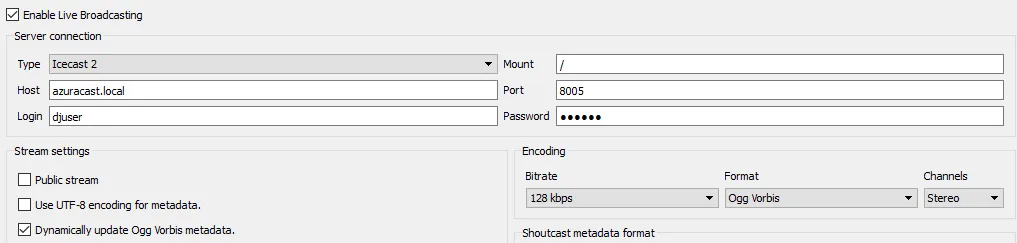
- The broadcasting settings are under Options → Preferences.
- Choose the Icecast 2 type.
- Mixxx doesn't include an MP3 encoder out of the box, but you don't need one: set the format to Ogg Vorbis and AzuraCast converts it to your station's format.
Recording live shows
AzuraCast can record your DJs' live shows. Recording is turned on in your station's settings (Edit Profile), where you choose the format and bitrate. You download recordings from Broadcasts, next to each DJ on the Streamers/DJ Accounts page.